
Owaa YouTube Trilingual Subtitles
The original caption plus two translations, right in the YouTube player.
Watch any YouTube video that has captions and read each line three ways: the original (white), your first language (yellow) and your second language (cyan). Pick the two languages on the options page, from 30.
Coming soon to Chrome and Edge
The listings are being prepared. Check back soon, or email [email protected] to be told when it is available.
Free
YouTube is a trademark of Google LLC. Owaa is not affiliated with or endorsed by Google or YouTube.
What it does
Three lines in the player
The original caption and two translations, color-coded and drawn inside the YouTube player.
30 languages
Including Simplified and Traditional Chinese, Japanese, Korean, Spanish, French, German, Portuguese, Russian, Arabic and Hindi.
On and off in one click
Use the Owaa button in the player controls. YouTube's own captions come back when the overlay is off.
Free to use
No credits needed. There is a daily limit that resets at 00:00 UTC.
How it works
- 01
Install the extension and open a YouTube video that has captions.
- 02
Pick your two languages on the options page.
- 03
Turn the overlay on with the Owaa button in the player controls.
See it in action
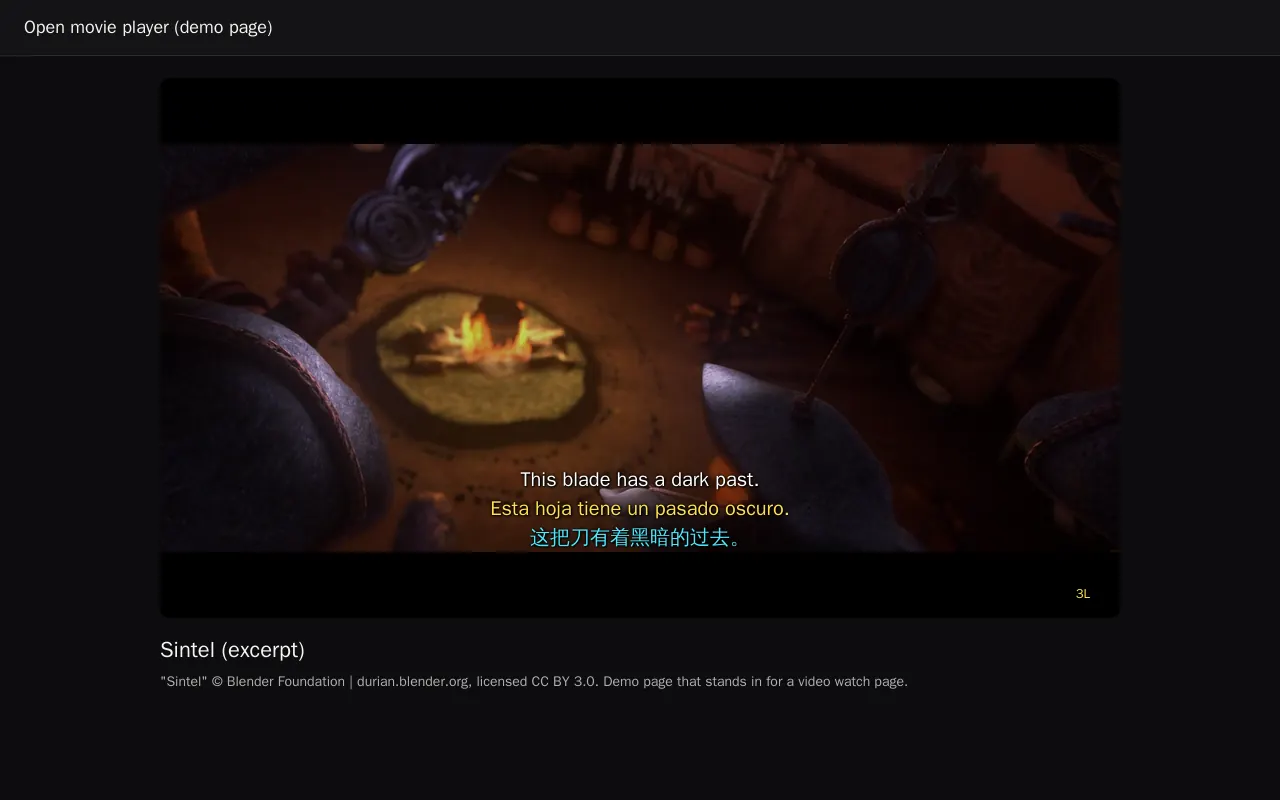
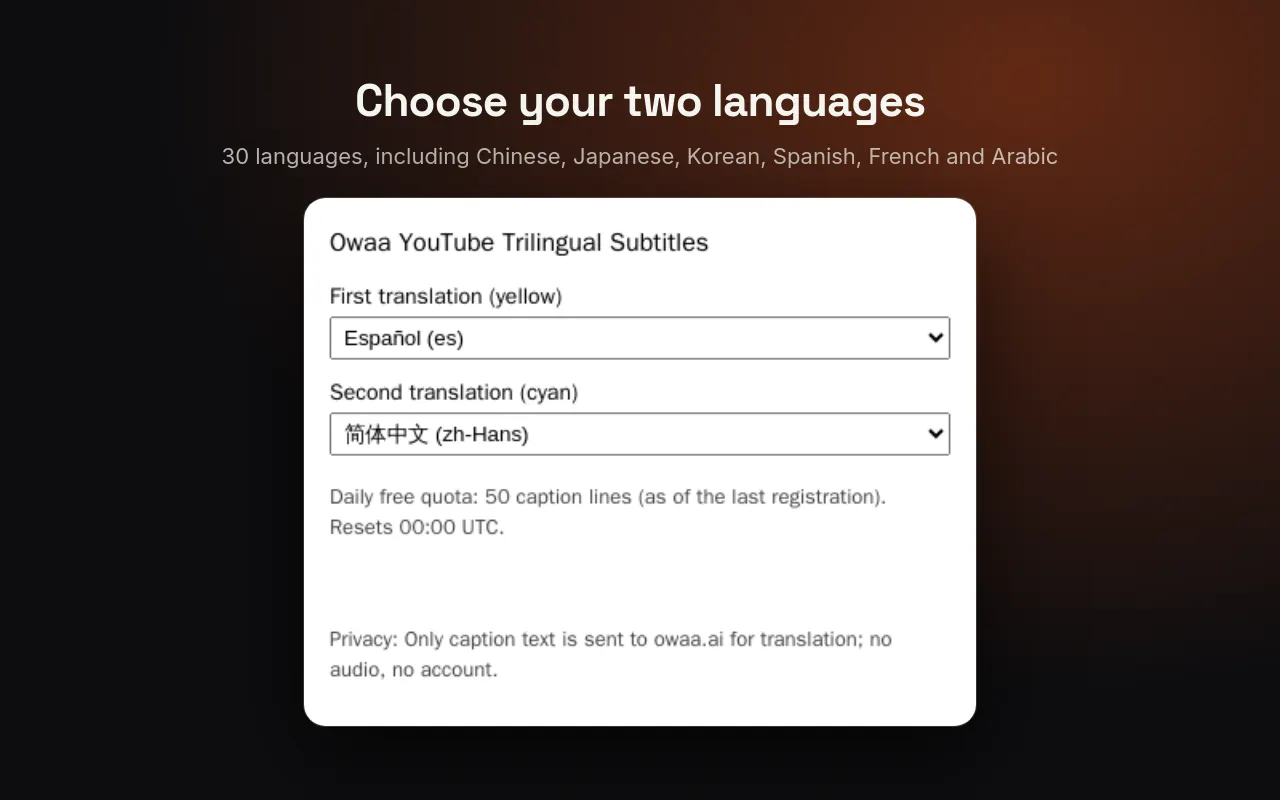
Screenshots come from the extension's own test build.
Shown on a demo page, not on YouTube. Video: “Sintel” © Blender Foundation | durian.blender.org, CC BY 3.0
Your data
Only the caption text of the video you are watching is sent to Owaa, a little ahead of playback. No audio, no account, no browsing history. Translations are shared between viewers of the same video, so popular videos are instant.
Pricing
Free
Every Owaa product draws on one credit wallet: $10 buys 100 credits, you top up when you need to, and there is no subscription. Each new account can claim 10 free minutes once, after a quick device check. See pricing