
Owaa Live Interpreter
Hear any tab in your language, with a bilingual transcript beside it.
Open a tab that is playing speech, click the Owaa icon, pick your language, and hear the tab translated as it plays. It works on any tab that plays audio: a talk, a lecture, a news stream, a call in the browser.
1.0 credits per minute
What it does
Spoken translation over the original
The translation is spoken over the tab's audio, which is lowered while the translation talks. You set the level.
Bilingual transcript
The side panel shows each line as it was said and its translation.
About 100 languages
Choose the language you want to hear.
Export the transcript
Save it as .txt, .srt or Markdown.
How it works
- 01
Open a tab that is playing speech.
- 02
Click the Owaa icon and pick your language.
- 03
Listen to the translation and follow the transcript in the side panel.
See it in action
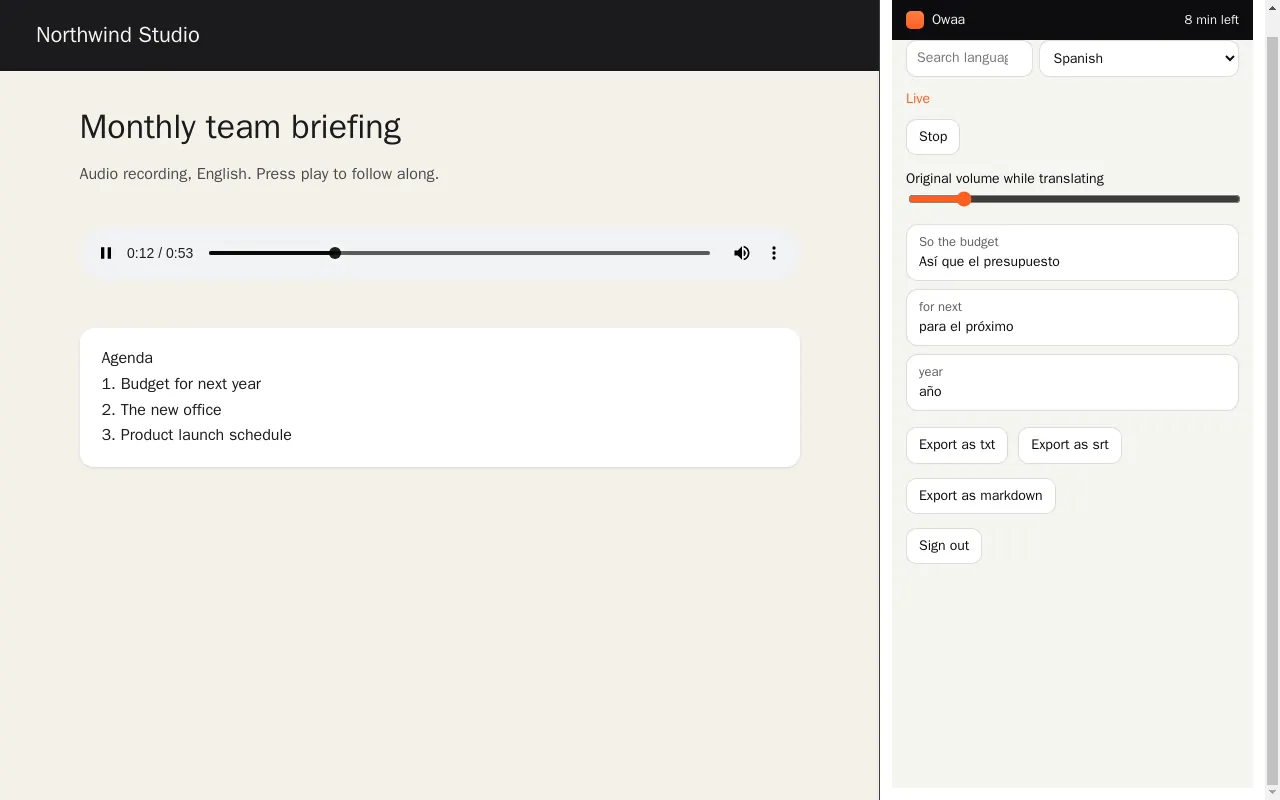
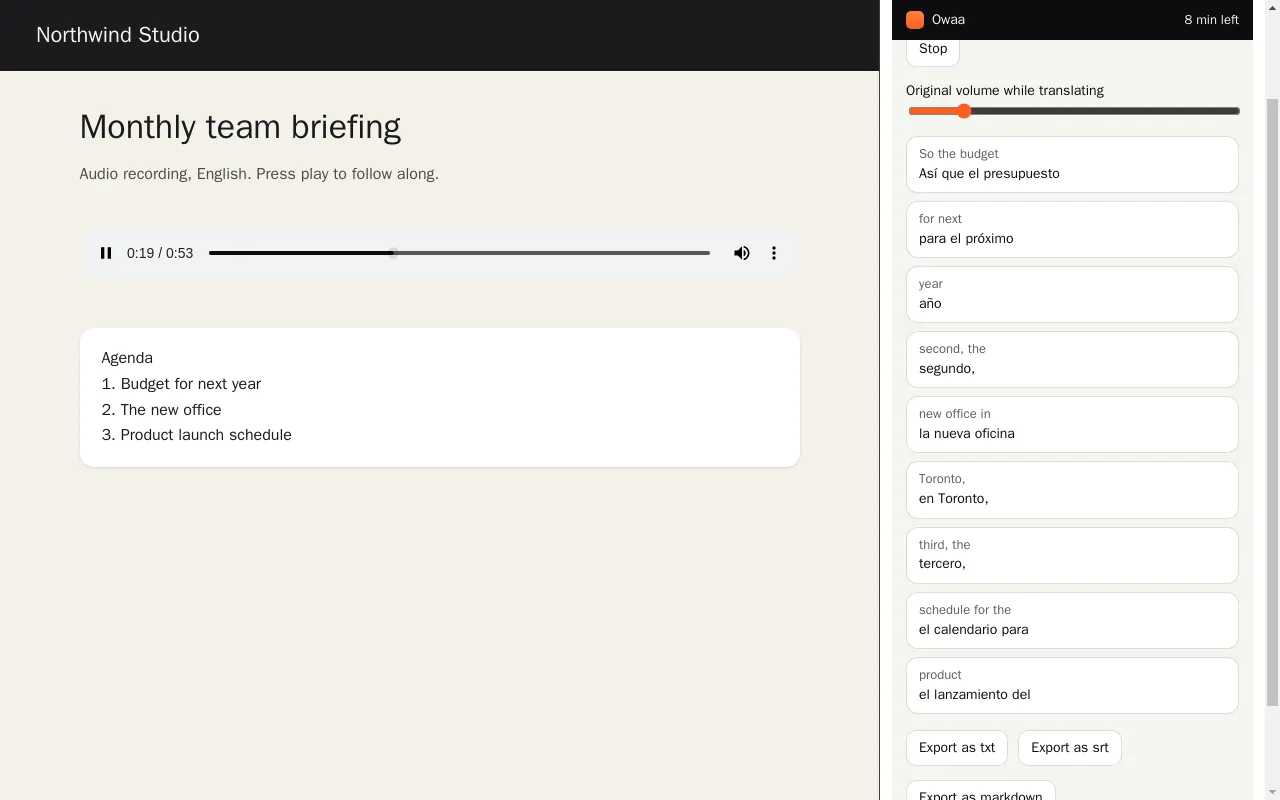
Screenshots come from the extension's own test build.
Your data
Only the audio of the tab you start is sent to Owaa, and only while the session runs. Nothing is captured from other tabs.
Sign in with a free Owaa account to use it.
Pricing
1.0 credits per minute
Every Owaa product draws on one credit wallet: $10 buys 100 credits, you top up when you need to, and there is no subscription. Each new account can claim 10 free minutes once, after a quick device check. See pricing