
Owaa Meeting Notes
Works with Google Meet, Zoom and Microsoft Teams in the browser: follow the call in your language and leave with notes.
On a Google Meet, Zoom (web client) or Microsoft Teams (web) call, open the side panel, choose a language and press Start. A live two-language transcript shows what was said and its translation, line by line. When you press Stop, it is summarised into key points and action items.
Coming soon to Chrome and Edge
The listings are being prepared. Check back soon, or email [email protected] to be told when it is available.
0.5 credits per minute
Google Meet is a trademark of Google LLC. Zoom is a trademark of Zoom Communications, Inc. Microsoft Teams is a trademark of Microsoft Corporation. Owaa is not affiliated with or endorsed by Google, Zoom or Microsoft.
What it does
Live two-language transcript
Each line is shown as it was said, with its translation.
Both sides of the call
Your own voice is added from your microphone, on by default and switchable off at any time.
Key points and action items
When you press Stop, the transcript is summarised in the language you chose. Copy it or download it as Markdown.
Google Meet, Zoom and Microsoft Teams
It works on Google Meet, the Zoom web client and Microsoft Teams on the web, and does nothing on other sites.
How it works
- 01
Join a call on Google Meet, the Zoom web client or Microsoft Teams on the web, and open the side panel.
- 02
Choose a language and press Start.
- 03
Press Stop to get the key points and action items.
See it in action
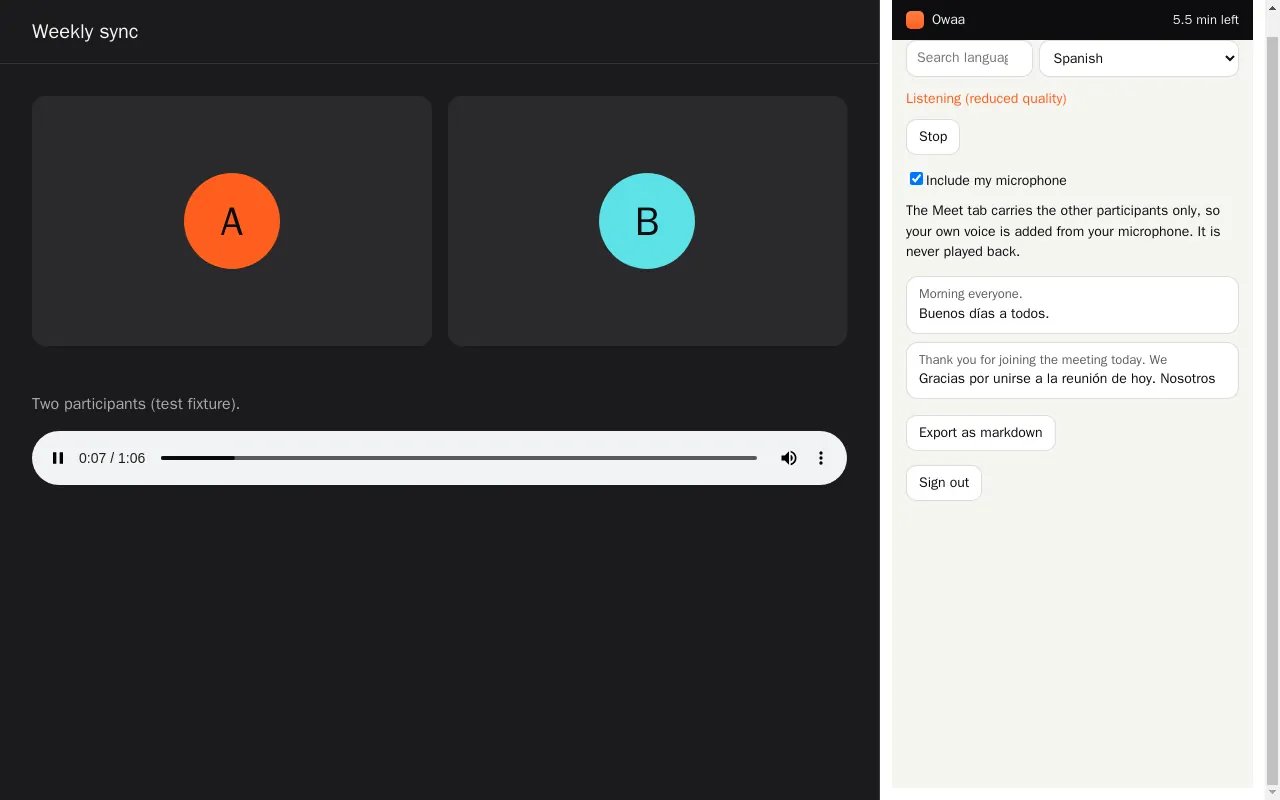
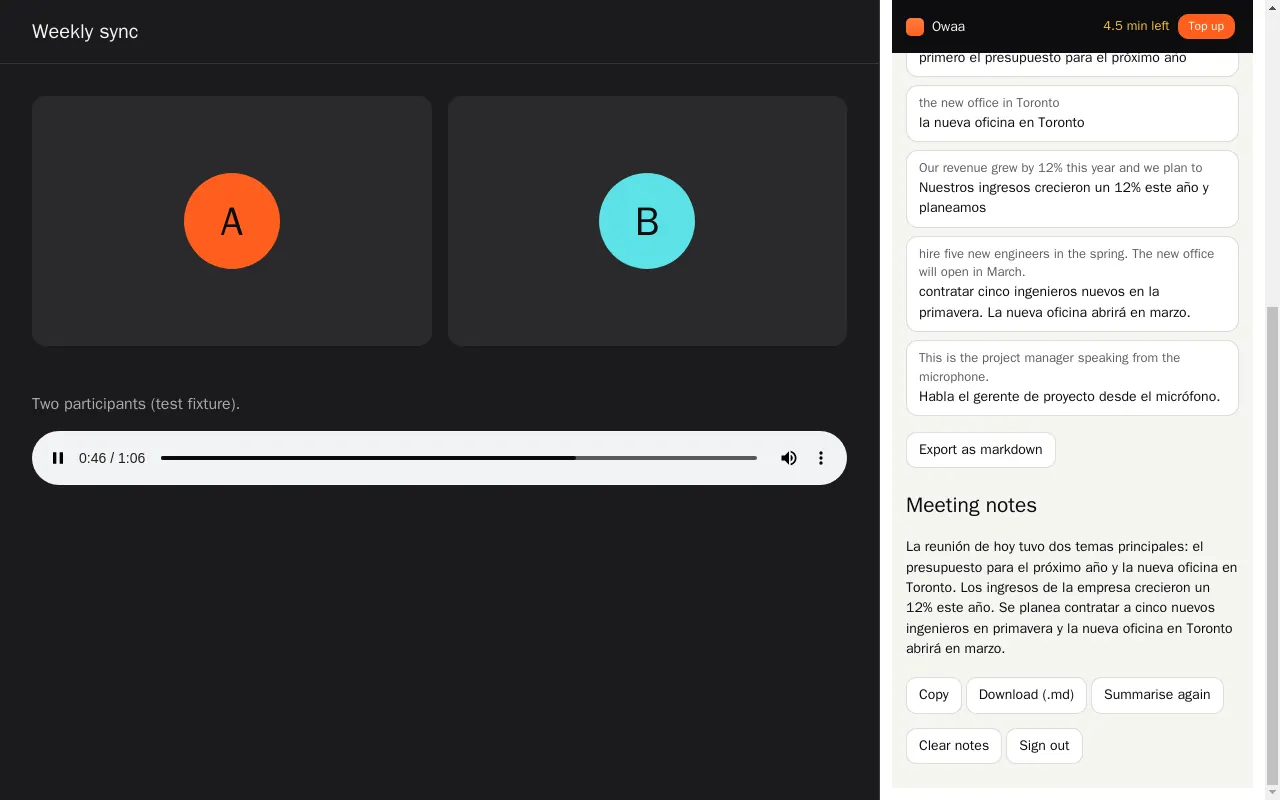
Screenshots come from the extension's own test build.
Your data
The meeting tab's audio, and your microphone if you leave it on, is sent to Owaa only while notes are running. The transcript and notes stay in your browser until you clear them. Let participants know when you take notes of a meeting.
Sign in with a free Owaa account to use it.
Pricing
0.5 credits per minute
Every Owaa product draws on one credit wallet: $10 buys 100 credits, you top up when you need to, and there is no subscription. Each new account can claim 10 free minutes once, after a quick device check. See pricing